What Internet Speed Do You Need for IPTV in 2026? Bandwidth and Setup Guide
One of the most frequent questions asked by British households transitioning from traditional satellite or cable television to internet protocol television (IPTV) is deceptively simple: "What internet speed do I actually need to stream television without buffering?"
Most consumers assume that raw download speed is the only metric that matters. Internet service providers (ISPs) across the United Kingdom bombard consumers with flashy advertising campaigns promoting 500 Mbps, 900 Mbps, or even gigabit broadband packages, leading many to believe that if they pay for ultrafast fibre, smooth television streaming is guaranteed.
Yet every weekend, thousands of UK cord-cutters sit down to watch high-profile Premier League football, Formula 1 Grand Prix races, or championship boxing matches, only to be greeted by the dreaded spinning loading wheel, stuttering audio, or frozen video frames—despite having a 500 Mbps broadband contract.
Why does this happen? The reality of digital video streaming across the internet is far more nuanced than headline download figures. Live television does not behave like a Netflix movie download or a web page; it is a continuous, time-sensitive stream of sequential video packets delivered in real time.
In this authoritative, technically rigorous master guide, we break down the exact internet speed requirements for IPTV in 2026. We analyse bandwidth consumption across all standard broadcast resolutions and framerates (SD, 720p, 1080p, and 4K Ultra HD at 60 FPS), calculate multi-device overhead for modern UK families, uncover the critical roles of latency, jitter, and packet loss, evaluate Wi-Fi versus wired Ethernet, dissect UK ISP throttling behaviours, and provide practical optimization strategies. Throughout this guide, we also highlight how enterprise server networks like IPTV FIESTA optimize data transmission to guarantee buffer-free streaming even on modest broadband connections.
Experience IPTV FIESTA UK
Upgrade your entertainment with ultra-stable, anti-freeze streaming. Access Sky Sports, TNT Sports, BBC, ITV, and UK 4K VOD on all your favorite devices.
The Broadband Myth: Why Download Speed Alone Does Not Guarantee Smooth IPTV
To understand why your streams might buffer despite having fast internet, you must first understand the fundamental technical distinction between Video on Demand (VOD) streaming and Live Linear IPTV Streaming:
Video on Demand (Netflix, Prime Video, YouTube)
When you watch an on-demand movie on Netflix or YouTube, the entire video file already exists on a server. Your streaming device does not download only the current second you are watching; it aggressively downloads 30, 60, or even 120 seconds of video data ahead of your current playback position into a local buffer.
If your internet connection momentarily drops out for 5 seconds or experiences a micro-disconnection, you will never notice because your player simply consumes the pre-buffered video data. By the time your Wi-Fi recovers, the buffer refills seamlessly.
Live Linear IPTV (Premier League, Live News, Pay-Per-View Events)
Live television cannot be pre-buffered minutes in advance because the action on the pitch has not happened yet! A football kick or a tennis serve is captured by television cameras at the stadium, encoded by an ingestion server, transmitted across high-capacity backbones to the IPTV distribution cluster, and routed to your living room set-top box in a fraction of a second.
Your IPTV player typically maintains a very slender buffer cushion—usually between 2 and 8 seconds—to keep broadcast latency as close to real time as possible.
Because the buffer cushion is razor-thin, live streaming demands continuous, uninterrupted stream consistency. If your home connection suffers from intermittent packet loss, severe jitter, or local Wi-Fi radio interference for even two consecutive seconds, the player's buffer immediately empties, resulting in an instant freeze or video stutter.
Therefore, for live television, a rock-solid, stable 30 Mbps connection with zero packet loss will consistently outperform an unstable 500 Mbps connection plagued by wireless interference or ISP traffic management.
Minimum & Recommended Bandwidth Requirements by Resolution (2026)
Digital video feeds are compressed using modern video codecs such as H.264 (AVC) and H.265 (HEVC). Bitrates vary depending on resolution, framerate (30 FPS vs 50/60 FPS), and dynamic range (SDR vs HDR10/Dolby Vision).
Here is the definitive technical breakdown of bandwidth requirements for a single live IPTV stream:
| Broadcast Resolution & Framerate | Encoding Codec | Video Bitrate Range | Absolute Minimum Speed Required | Recommended Dedicated Bandwidth | Ideal For |
|---|---|---|---|---|---|
| Standard Definition (SD, 480p/576p) | H.264 | 1.5 – 3.0 Mbps | 5 Mbps | 10 Mbps | Legacy displays, mobile connections, regional news |
| High Definition (HD, 720p @ 30/50 FPS) | H.264 / HEVC | 3.5 – 6.0 Mbps | 10 Mbps | 15 Mbps | General daytime television, basic documentaries |
| Full HD (FHD, 1080p @ 30 FPS) | H.264 / HEVC | 5.0 – 9.0 Mbps | 15 Mbps | 25 Mbps | Entertainment channels, drama series, movies |
| Full HD Sports (1080p @ 50/60 FPS) | H.264 / HEVC | 8.0 – 16.0 Mbps | 25 Mbps | 40 Mbps | Live football, rugby, Formula 1, tennis |
| 4K Ultra HD (UHD, 2160p @ 50/60 FPS SDR) | H.265 (HEVC) | 18.0 – 28.0 Mbps | 40 Mbps | 60 Mbps | Flagship live sports, championship boxing |
| 4K Ultra HD HDR / Dolby Vision (60 FPS) | H.265 (HEVC) | 25.0 – 40.0 Mbps | 60 Mbps | 100 Mbps | Reference-grade 4K cinema and marquee fixtures |
Why We Recommend Headroom (The 2.5x Rule)
Notice the difference between the Absolute Minimum Speed and the Recommended Dedicated Bandwidth in the table above.
If a pristine 4K 60 FPS sports broadcast has a raw bitrate of 25 Mbps, why do we recommend a 60 Mbps connection? Because internet traffic is bursty. Video streams are not delivered in a perfectly flat line of bits; during scenes with explosive motion, confetti, crowd movements, or rapid camera pans, variable bitrate (VBR) encoders momentarily spike data requirements by 50% to 80%. If your broadband speed is capped right at the baseline bitrate, any sudden visual complexity will immediately cause frame drops.
As a general rule of thumb, always maintain at least 2.5 times the stream's nominal bitrate as available headroom for each active screen.
Multi-Device Bandwidth Math for UK Households
Most British households do not have only a single device connected to the internet. While you are watching a live Premier League football match in 4K in the living room, other family members and automated devices are constantly competing for shared broadband capacity.
Let us model a typical UK evening scenario to calculate total household bandwidth demand:
[UK Household Total Broadband Capacity]
   │
   ├── Living Room TV: 4K 60 FPS Sports Stream  ────► 35.0 Mbps
   ├── Bedroom Firestick: 1080p HD Drama Stream   ────► 12.0 Mbps
   ├── Teenager: Online Multiplayer Gaming (PS5) ────► 10.0 Mbps (Demands Low Ping)
   ├── Laptop: 4K YouTube Video or Zoom Call     ────► 20.0 Mbps
   ├── Smartphones (x3): Social Media / TikTok    ────► 15.0 Mbps
   └── Smart Home IoT (Doorbells, Cameras, Alexa) ──►  8.0 Mbps
   ─────────────────────────────────────────────────────────────
   TOTAL CONCURRENT HOUSEHOLD BANDWIDTH DEMAND:   ~ 100.0 Mbps
Bandwidth Recommendation Matrix by Household Size:
- Single Person / Couple (1 to 2 Active Screens):
- Minimum Package: 35 – 50 Mbps (Standard Superfast Fibre / FTTC).
- Experience: Flawless 1080p streaming on two devices, or one single 4K stream with modest background web surfing.
- Average Family (3 to 4 People, 2 to 3 Active Screens):
- Minimum Package: 75 – 150 Mbps (Ultrafast Fibre / Entry FTTP / Virgin M125).
- Experience: Simultaneous 4K sports in the lounge, 1080p streaming in the bedroom, and active online gaming with zero contention.
- Large Household / Tech Enthusiasts (5+ People, Multiple 4K Screens):
- Minimum Package: 250 – 500+ Mbps (Gigabit Full Fibre / Virgin M350 - M500+).
- Experience: Absolute freedom. Multiple concurrent 4K HDR streams, simultaneous heavy game downloads, cloud backups, and smart security camera streaming with zero impact on television playback.
Beyond Download Speed: The 4 Hidden Pillars of Network Quality
When troubleshooting stream buffering, 90% of users only run a standard speed test to check their download figure. However, in telecommunications engineering, download speed is only one of four critical parameters that govern live streaming health:
┌──────────────────────────────────────────────────────────────┐
│             THE 4 PILLARS OF LIVE STREAM STABILITY           │
├──────────────────────────────┬───────────────────────────────┤
│ 1. BANDWIDTH (Download Speed)│ 2. LATENCY (Ping Time)        │
│ Volume of data per second    │ Delay for round-trip signals  │
├──────────────────────────────┼───────────────────────────────┤
│ 3. JITTER (Latency Variance) │ 4. PACKET LOSS (% Dropped)    │
│ Consistency of packet delivery│ Data destroyed in transit     │
└──────────────────────────────┴───────────────────────────────┘
Let us examine why latency, jitter, and packet loss matter just as much as raw megabits:
1. Latency (Ping)
Latency is the time (measured in milliseconds, ms) it takes for a data packet to travel from your streaming device to the IPTV provider's server and back again.
- Under 20 ms: Pristine connection (common on UK FTTP / Full Fibre). Instantaneous channel switching; real-time stream acquisition.
- 20 ms to 50 ms: Excellent connection (standard FTTC VDSL2 / Virgin Media Cable). Swift channel zapping; zero perceptible lag.
- 50 ms to 100 ms: Acceptable. Channel zapping takes 1 to 2 seconds longer; minor vulnerability during peak congestion.
- Over 100 ms: Problematic. Slower stream initialisation; vulnerable to buffer underrun.
2. Jitter (The Silent Stream Killer)
While high latency causes a fixed delay, jitter represents the fluctuation or instability of that latency over time. For example, if packet #1 arrives in 20 ms, packet #2 arrives in 85 ms, and packet #3 arrives in 15 ms, your connection has high jitter.
- Why jitter causes buffering: Video decoders rely on steady, rhythmic packet arrivals to assemble video frames into smooth 50 FPS or 60 FPS sequences. High jitter causes packets to arrive out of order or clumped together. If a crucial keyframe (I-frame) arrives late, the decoder freezes waiting for it, causing visible frame stutter or a complete pause.
- Target Jitter for IPTV: Your connection jitter should ideally remain under 5 ms, and never exceed 12 ms.
3. Packet Loss (The Ultimate Freezing Culprit)
Packet loss occurs when network routers drop data packets entirely due to congestion, electrical noise, or poor Wi-Fi reception.
- Why packet loss is devastating for IPTV: Unlike web browsing where a dropped image can be requested again over several seconds, live video cannot wait. While TCP connections will attempt to retransmit lost packets, the delay often exceeds the player's slender buffer window.
- In MPEG Transport Streams (MPEG-TS), packet loss manifests as digital pixelation, macroblocking, distorted screeching audio, or an instant freeze.
- Target Packet Loss for IPTV: Packet loss must be strictly 0.0%. Even a minuscule 0.5% packet loss rate is enough to cause regular buffering during live sports.
4. Bufferbloat (Router Queuing Congestion)
Bufferbloat is high latency that occurs when other devices in your home are uploading or downloading large files. When your home router has poorly configured queues, heavy network activity (such as an iPhone backing up photos or a Steam game update) fills the router's memory buffers, causing your IPTV ping to skyrocket from 20 ms to 450 ms! This temporary spike instantly empties your IPTV player's playback buffer.
Wi-Fi vs. Wired Ethernet: The Technical Showdown
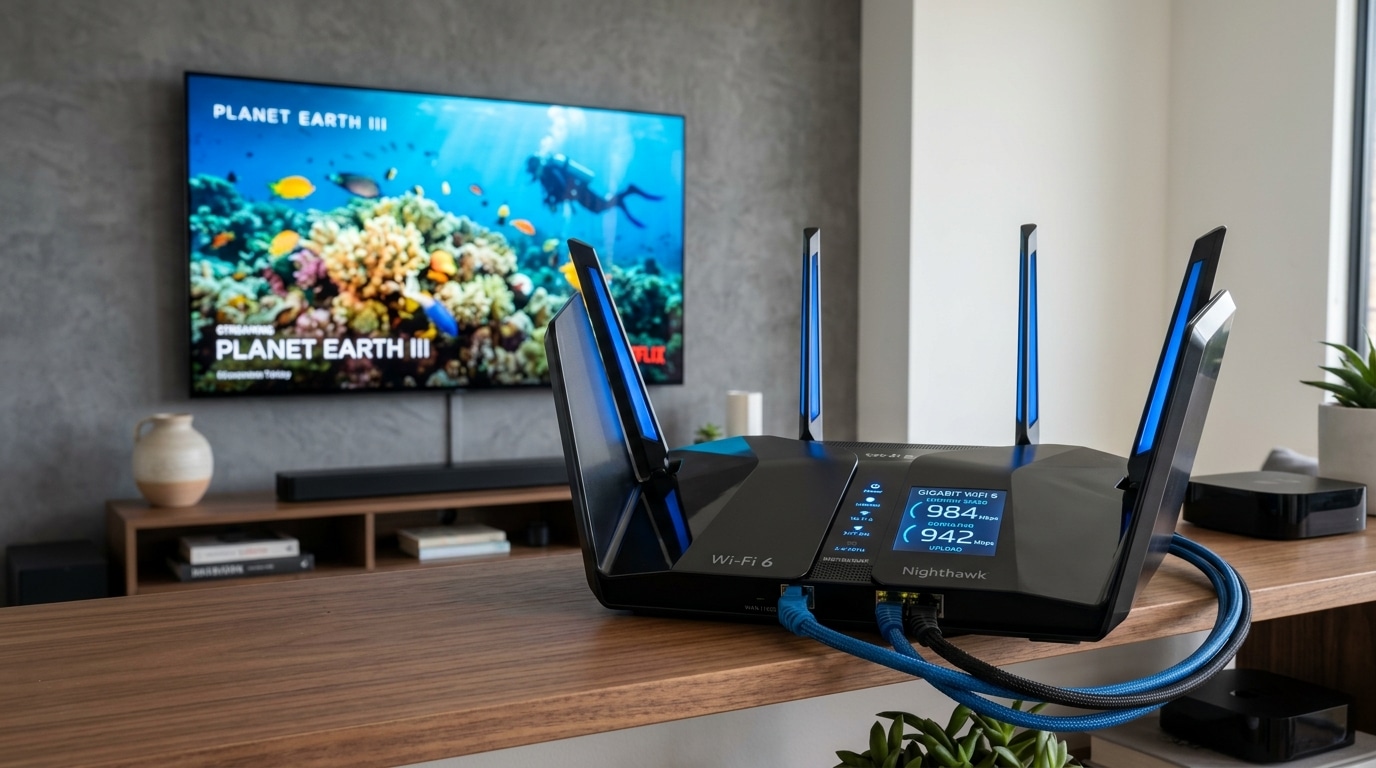
Without question, the single most common cause of IPTV buffering in UK homes is not the user's broadband package or the IPTV server—it is home Wi-Fi degradation.
многие пользователи connect their smart TV or Firestick wirelessly and assume that because their smartphone gets 200 Mbps on the sofa, the TV in the cabinet is receiving the same quality. Here is the technical reality:
| Metric / Parameter | 2.4 GHz Wi-Fi | 5 GHz Wi-Fi | Wi-Fi 6 (802.11ax) | Wired Cat6 Ethernet |
|---|---|---|---|---|
| Maximum Real-World Speed | 30 – 70 Mbps | 200 – 500 Mbps | 400 – 800+ Mbps | 1,000 Mbps (Full Duplex) |
| Susceptibility to Interference | Extremely High (Microwaves, Bluetooth, Neighbours) | Low (More non-overlapping channels) | Very Low (OFDMA & BSS Colouring) | Zero (Immune to RF noise) |
| Wall & Ceiling Penetration | Excellent range, poor throughput | Moderate range, high throughput | Improved range and throughput | N/A (Direct physical cable) |
| Typical Packet Loss | 0.5% – 3.0% (High risk) | 0.05% – 0.2% (Low risk) | < 0.05% (Very low risk) | 0.000% (Bit-Perfect) |
| Ping Jitter Stability | Poor (± 20 to 80 ms spikes) | Good (± 3 to 10 ms) | Excellent (± 1 to 3 ms) | Flawless (± < 0.5 ms) |
| Suitability for 4K Sports | Unsuitable | Acceptable (with strong signal) | Very Good | The Gold Standard |
Why Wired Ethernet is King for Live Television
- Full-Duplex Communication: Ethernet cables can send and receive data simultaneously. Wi-Fi is half-duplex—only one device on a Wi-Fi channel can transmit at any single microsecond, forcing all devices to take turns.
- Zero RF Interference: Modern UK homes are surrounded by dense wireless signals from neighbours, smart meters, baby monitors, and household appliances. Cat6 Ethernet uses twisted pair copper shielding that is completely impervious to radio frequency interference.
- Consistent Sub-Millisecond Jitter: With an Ethernet cable, packet arrival time is mathematically consistent.
What if Running an Ethernet Cable is Impossible?
If your router is located in the hallway and your main television is in the living room, drilling holes through walls may not be an option. Here are the top alternatives ranked by performance:
- Powerline Adapters (HomePlug AV2 / G.hn):
- Powerline technology transmits network data across your home's existing electrical wiring. A modern 1000 Mbps or 2000 Mbps HomePlug AV2 kit plugs into a wall socket near your router and another socket behind your TV.
- Verdict: Vastly superior to 2.4 GHz Wi-Fi for stability and jitter, provided your home wiring is relatively modern.
- Tri-Band Mesh Wi-Fi (e.g., Eero Pro, Asus ZenWiFi, TP-Link Deco):
- Unlike cheap Wi-Fi range extenders (which cut bandwidth in half and double latency), dedicated Tri-Band mesh systems utilize a third, private 5 GHz radio band strictly for backhaul communication between nodes.
- Place one mesh pod directly behind your television and connect your streaming device to that pod with a short Ethernet patch cable!
- Force 5 GHz Wi-Fi Only:
- If you must use Wi-Fi, separate your router's wireless bands in its admin portal (e.g., name them "Home-2.4G" and "Home-5G"). Connect your streaming device exclusively to the 5 GHz band. The 5 GHz band has 24 non-overlapping channels compared to just 3 on 2.4 GHz, dramatically reducing packet drops.
UK ISP Traffic Management & Throttling in 2026
If your broadband speed test shows 300 Mbps, but your IPTV streams buffer exclusively between 7:30 PM and 10:30 PM on weekday evenings, or during Saturday afternoon Premier League matches, you are likely experiencing ISP Traffic Management or Throttling.
How Major UK ISPs Handle Streaming Traffic:
Broadband providers in the United Kingdom—including BT Openreach, Virgin Media, Sky, TalkTalk, EE, and Vodafone—operate under regulatory and commercial pressures to manage network capacity during peak hours:
- Residential Contention Ratios:
- Consumer broadband is a shared medium. While you pay for an individual line into your house, your neighbourhood street cabinet (DSLAM) or optical distribution node connects to a shared backhaul pipe. During peak evening hours (8:00 PM to 10:00 PM), hundreds of homes are simultaneously streaming 4K video, leading to localized network congestion.
- Deep Packet Inspection (DPI):
- UK ISPs deploy sophisticated hardware appliances at their routing gateways to inspect the headers and metadata of incoming and outgoing data packets. When they detect high-bandwidth, sustained UDP or MPEG-TS video streams originating from non-whitelisted IP addresses or unverified overseas datacentres, automated traffic-shaping algorithms can de-prioritize or artificially throttle those packets to preserve bandwidth for regular web browsing.
- Court-Ordered Premier League Dynamic DNS Blocking:
- Under High Court injunctions in the United Kingdom, major UK ISPs are mandated to block access to unverified streaming servers during live Premier League match windows (typically Saturdays from 2:45 PM to 5:15 PM, and during midweek Champions League fixtures). This blocking is frequently implemented at the ISP's default DNS server level.
How to Diagnose if Your UK ISP is Throttling Your Stream:
Follow this simple diagnostic test when you experience evening buffering:
- Note the buffering on your IPTV stream.
- Run a standard speed test via Speedtest.net on your phone or computer. Notice that the headline speed appears completely normal (e.g., 150 Mbps).
- Connect your device to a high-speed Virtual Private Network (VPN) operating on a secure protocol like WireGuard or Lightway.
- Re-launch your IPTV stream.
- The Diagnosis: If the stream instantly plays smoothly without a single freeze the moment the VPN is activated, your ISP was actively throttling, shaping, or filtering your IPTV traffic! A VPN wraps your data packets inside encrypted tunnels, preventing your ISP's DPI appliances from seeing what content you are watching or where the packets are traveling.
Router Configuration & Quality of Service (QoS) Optimization
You can significantly improve stream reliability by tuning several key settings inside your home broadband router's administrative dashboard (typically accessed by typing 192.168.1.1 or 192.168.0.1 into your web browser):
┌─────────────────────────────────────────────────────────────┐
│              ROUTER OPTIMIZATION CHECKLIST                  │
├─────────────────────────────────────────────────────────────┤
│ [✔] Configure Quality of Service (QoS) Priority for TV     │
│ [✔] Switch DNS to Cloudflare (1.1.1.1) or Google (8.8.8.8)   │
│ [✔] Separate 2.4 GHz and 5 GHz Wi-Fi SSID Names            │
│ [✔] Disable SIP ALG (Session Initiation Protocol)           │
│ [✔] Enable IGMP Snooping for Multicast Stream Traffic       │
└─────────────────────────────────────────────────────────────┘
1. Quality of Service (QoS) Device Prioritization
Many modern routers (including Asus, Netgear, TP-Link, and high-end ISP hubs) include Quality of Service (QoS) rules:
- Assign a static IP address to your Apple TV, Firestick, or Smart TV.
- In your router's QoS menu, set your streaming device's priority to "Highest" or "Real-Time Video".
- Result: Even if another computer on your home network starts a 50 GB game download, your router will automatically prioritize your IPTV packets ahead of background downloads, preventing buffering.
2. Bypass ISP DNS Servers
By default, your router uses your ISP's recursive DNS servers (e.g., BT, Sky, or Virgin DNS). These servers are often slow, heavily logged, and subject to automatic filtering rules.
- Change your router's primary and secondary DNS to:
- Cloudflare:
1.1.1.1and1.0.0.1(The fastest global Anycast DNS with strict privacy) - Google Public DNS:
8.8.8.8and8.8.4.4 - Quad9:
9.9.9.9and149.112.112.112(Excellent security filtering)
- Cloudflare:
- Changing your DNS accelerates domain lookup times, speeding up channel zapping and EPG downloads.
3. Disable SIP ALG
SIP ALG (Application Layer Gateway) is an outdated router feature intended to help VoIP telephony. In modern networks, SIP ALG is notorious for inspecting and corrupting stream session packets. Disabling SIP ALG in your router's Advanced Security/NAT settings frequently resolves mysterious stream disconnections.
Accurate Speed Testing for IPTV: Why Speedtest.net Can Be Misleading
Many users test their internet speed using the Ookla Speedtest app and wonder why their IPTV buffers despite the app reporting 200 Mbps. Here is the technical reason:
Multi-Threaded vs. Single-Threaded Testing
- How Speedtest.net Works: Speedtest.net establishes 8 to 16 simultaneous parallel connections (multi-threaded) to a server hosted by your own broadband provider or a datacentre located just 10 miles away in your city. It aggregates the throughput of all 16 streams together to display the biggest possible headline number for your ISP.
- How IPTV Streams Work: When you watch a live television channel, your player establishes a single-threaded TCP/UDP connection to your provider's streaming server cluster.
- If an ISP or home connection has packet routing bottlenecks, a multi-threaded test can still show 200 Mbps, while a single-threaded stream cannot even sustain 12 Mbps!
How to Run an Accurate IPTV Benchmark:
- Use Single-Connection Testing:
- Go to Speedtest.net, click on Change Server, select a server located in another major hub (e.g., London or Frankfurt), and change the Connection Mode from Multi to Single. This reflects your true single-thread pipeline.
- Use Fast.com:
- Fast.com is powered by Netflix servers. Because many ISPs attempt to throttle video streaming traffic, Fast.com reveals whether your ISP shapes video packets compared to general web data.
- In-App IPTV Player Speed Tests:
- Elite player applications like TiviMate and IPTV Smarters Pro feature built-in speed test tools located inside their Settings menu. This test measures raw throughput directly from your streaming device to your IPTV provider's actual server cluster, giving you the most accurate real-world measurement possible.
Recommended UK Broadband Technologies for Cord-Cutters
If you are reviewing your home broadband contract or considering an upgrade, here is an objective assessment of broadband connection types across the UK market:
| Broadband Technology | Typical Providers | Download Speeds | Upload Speeds | Average Ping | Jitter Stability | Cord-Cutting Grade |
|---|---|---|---|---|---|---|
| FTTP (Full Fibre / Pure Optical) | Openreach (BT, Sky, EE, TalkTalk), Community Fibre, Hyperoptic, CityFibre | 100 – 1,000+ Mbps | 50 – 1,000 Mbps (Symmetric on AltNets) | 3 – 8 ms | Near Zero (Best) | A+ (The Ultimate Benchmark) |
| DOCSIS 3.1 Hybrid Coaxial | Virgin Media (O2) | 125 – 1,130 Mbps | 20 – 100 Mbps | 12 – 25 ms | Moderate (Occasional upstream jitter) | A- (Excellent Capacity) |
| FTTC (Fibre to the Cabinet / VDSL2) | Standard BT, Sky, Plusnet, TalkTalk copper lines | 36 – 76 Mbps | 9 – 18 Mbps | 18 – 35 ms | Good (If copper line is undamaged) | B (Very Capable for 1-2 4K streams) |
| 5G Home Broadband (Cellular Routers) | Three 5G, EE 5G, Vodafone 5G | 80 – 450 Mbps | 15 – 60 Mbps | 25 – 65 ms | Variable (Prone to weather and cell tower load) | C+ (Good backup; sensitive to peak congestion) |
| ADSL2+ (Legacy Copper) | Obsolete rural copper | 3 – 12 Mbps | 0.8 – 1.2 Mbps | 45 – 90 ms | High | F (Unsuitable for modern HD/4K IPTV) |
Complete Step-by-Step Troubleshooting Checklist for IPTV Buffering
If your stream begins buffering or stuttering, work through this systematic diagnostic checklist before assuming the provider is at fault:
[STEP 1: RESTART ROUTER & STREAMING DEVICE]
  Power down your broadband router and streaming device completely.
  Wait 60 seconds to clear routing tables and memory caches.
       │
       ▼
[STEP 2: TEST CONNECTION STABILITY]
  Run a single-connection speed test. Check ping (<30ms) and jitter (<5ms).
       │
       ▼
[STEP 3: SWITCH TO WIRED ETHERNET]
  Disconnect Wi-Fi. Connect via Cat6 cable or HomePlug AV2 powerline.
       │
       ▼
[STEP 4: CHANGE DNS RESOLVER]
  Update router or device DNS to Cloudflare (1.1.1.1) or Google (8.8.8.8).
       │
       ▼
[STEP 5: ACTIVATE VPN TEST]
  Turn on a high-speed VPN. If buffering vanishes, your ISP was throttling.
       │
       ▼
[STEP 6: ADJUST PLAYER BUFFER SIZE]
  In TiviMate or player settings, increase buffer size to "Large" (3-5 seconds).
       │
       ▼
[STEP 7: CONTACT IPTV FIESTA 24/7 SUPPORT]
  If issue persists, reach out via WhatsApp for server routing verification.
Frequently Asked Questions
Conclusion: Achieve the Ultimate Buffer-Free Experience with IPTV FIESTA
Having the right internet connection is half of the streaming equation. The other half is partnering with an enterprise IPTV provider that invests in dedicated, high-throughput server infrastructure engineered specifically for the UK market.
At IPTV FIESTA, our broadcast platform is built from the ground up to deliver:
- High-Bandwidth 10 Gbps Server Nodes: Load-balanced European and UK datacentres that never choke during high-profile sporting events.
- Optimized HEVC & H.264 Codecs: Crystal-clear 1080p and 4K 60 FPS streams optimized for maximum efficiency, reducing unnecessary bandwidth strain on your home network.
- Anti-Freeze Server Technology: Intelligent stream routing that re-routes packet flows dynamically to bypass internet backbone congestion.
Ready to experience television the way it was meant to be?
- Explore our flexible, contract-free UK subscription packages.
- View our comprehensive channels lineup covering live UK sports, cinema, and international feeds.
- Follow our easy device setup tutorials for Firestick, Apple TV, Smart TVs, and Android.
- Connect with our 24/7 customer support team on WhatsApp to claim your free 24-hour test trial and start streaming today!