How to Choose the Best IPTV Service in 2026: The Definitive UK Buyer's Guide
Choosing the right IPTV provider in 2026 is one of the most impactful decisions you can make for your home entertainment setup. As traditional UK satellite and cable television bills from providers like Sky and Virgin Media continue to climb well past £80 to £120 every single month, hundreds of thousands of British households are cutting the cord in search of flexible, high-definition internet television.
However, entering the modern internet protocol television marketplace can be overwhelming. The web is flooded with hundreds of services competing for your attention, each making extravagant promises: 50,000 live channels, 200,000 on-demand titles, instant 4K Ultra HD resolution on every broadcast, and 99.99% uptime for rock-bottom prices. Unfortunately, many of these claims are marketing exaggerations designed to capture quick subscriptions before users discover frequent freezing, stuttering streams during major Premier League matches, missing electronic program guides, and nonexistent customer support.
Finding a truly reliable IPTV service requires looking beyond superficial channel counts and understanding the underlying technical infrastructure that powers smooth, buffer-free broadcasting. In this comprehensive buying guide, we break down every technical parameter, infrastructure requirement, device consideration, and practical testing step you need to make an informed investment. Throughout this guide, we also highlight how established platforms like IPTV FIESTA engineer high-capacity server infrastructure tailored specifically for viewers across the United Kingdom.
Experience IPTV FIESTA UK
Upgrade your entertainment with ultra-stable, anti-freeze streaming. Access Sky Sports, TNT Sports, BBC, ITV, and UK 4K VOD on all your favorite devices.
What is IPTV and How Does It Work in 2026?
Internet Protocol Television (IPTV) delivers television programming and video content using the Transmission Control Protocol/Internet Protocol (TCP/IP) suite, rather than traditional terrestrial broadcast aerials, satellite dishes, or coaxial cable television formats.
Instead of broadcasting every channel simultaneously across radio frequency spectrums into your living room, IPTV operates on a client-server architecture:
- Content Ingestion and Encoding: Live television broadcasts from satellite downlinks, digital terrestrial relays, and studio feeds are captured by high-powered ingestion servers. These feeds are encoded into digital container formats using advanced compression codecs such as H.264 (AVC) and H.265 (HEVC).
- Server Distribution and Content Delivery Networks (CDNs): The compressed digital streams are routed through high-bandwidth load-balanced server clusters situated in major regional datacentres. Premium providers maintain dedicated European and UK datacentres to minimise packet travel distance and latency.
- Client Playback via Media Apps: When you select a channel on your streaming device—whether an Amazon Fire TV Stick, Apple TV 4K, Smart TV, or Android TV box—your IPTV media player application sends a request to the provider's server. The server instantly returns the stream segments, which your device decodes and displays on screen in real time.
Because data is delivered across your broadband connection, the quality of your viewing experience is determined by two critical factors working in tandem: the performance of your home broadband connection and the bandwidth, stability, and redundancy of the IPTV provider's server network.
Why Cutting the Cord Has Accelerated Across the United Kingdom
The shift toward internet television across England, Scotland, Wales, and Northern Ireland is driven by clear economic and technological realities.
Historically, accessing comprehensive live sports, premium cinema, and international channels in the UK required paying multiple separate subscriptions. A household wanting Sky Sports, TNT Sports, cinema packages, multi-room viewing, and ultra-high-definition access frequently faced contracts exceeding £100 per month. Furthermore, traditional broadcast contracts routinely locked subscribers into rigid 18-month or 24-month commitments accompanied by annual mid-contract price hikes linked to inflation.
In contrast, modern internet streaming offers:
- Massive Cost Reductions: High-grade IPTV subscriptions cost a fraction of traditional satellite packages, often delivering annual savings of over £800 to £1,000 for a standard household.
- Pay-As-You-Go Flexibility: Reputable platforms offer month-to-month, 3-month, 6-month, and 12-month passes without binding credit checks, invasive dish installations, or long-term financial commitments.
- Unified Viewing Experience: Rather than juggling six separate streaming applications and hardware input switches, IPTV consolidates live channels, pay-per-view sporting fixtures, domestic broadcasts, international channels, and massive video-on-demand libraries into a single unified electronic program guide.
- Cross-Device Freedom: You are no longer tethered to a proprietary set-top box tethered to a satellite wall plate. Modern subscriptions stream seamlessly across your living room television, bedroom Firestick, tablet, laptop, and smartphone when travelling.
However, realizing these benefits requires partnering with a provider that treats stream delivery as an engineering priority rather than a quick resale scheme. Let us examine the twelve fundamental pillars you must evaluate before subscribing.
The 12 Fundamental Pillars of a High-Quality IPTV Service
When evaluating any potential IPTV provider, use these twelve criteria as your objective scorecard.
Pillar 1: Dedicated Server Infrastructure & Anti-Freeze Architecture
The single most common complaint among inexperienced IPTV users is stream buffering—particularly during high-profile sporting events such as Premier League Sunday derbies, UEFA Champions League fixtures, or heavyweight boxing title fights.
This buffering rarely stems from the user's home broadband; rather, it is caused by server overload at the provider level. Budget providers frequently cram tens of thousands of subscribers onto cheap virtual private servers (VPS) without sufficient network throughput. When tens of thousands of viewers tune into the same football broadcast simultaneously, the provider's server bandwidth saturates, resulting in stuttering, audio desynchronization, and complete stream drops.
Premium providers employ dedicated server clusters backed by load-balancing software and anti-freeze technology:
- Load Balancing Algorithms: Incoming viewer requests are automatically routed across dozens of geographically distributed mirror servers, ensuring no single machine exceeds 60% to 70% of its maximum network capacity.
- High-Bandwidth Network Interfaces: Top-tier servers utilize 10 Gbps and 40 Gbps unmetered uplinks directly connected to Tier-1 Internet Service Providers (ISPs), ensuring ample headroom during massive traffic spikes.
- Anti-Freeze Protocol Buffering: Advanced packet management continuously pre-buffers several seconds of video on your device, smoothing out minor internet route jitter before it can impact your picture.
When researching providers, verify whether they own dedicated physical server clusters or merely resell generic third-party panels. Providers like IPTV FIESTA build infrastructure specifically engineered to handle peak UK viewing traffic without degradation.
Pillar 2: Native Video Quality, Resolution, and Frame Rates (FPS)
Video quality claims in the IPTV industry can be deeply deceptive. Many providers label channels as "4K" or "FHD" when they are simply upscaled 720p streams compressed at extremely low bitrates.
To evaluate true visual performance, consider three technical specifications:
- Resolution: Standard Definition (SD) runs at 576p, High Definition (HD) at 720p, Full High Definition (FHD) at 1080p, and Ultra High Definition (UHD/4K) at 2160p (3840x2160 pixels). While movies and prestige drama look crisp in 1080p and 4K, resolution alone does not guarantee a good picture.
- Frame Rate (FPS): For sports and fast-paced live action, frame rate is far more critical than raw pixel count. Standard television broadcasts operate at 25 or 30 frames per second (FPS). However, premium sports streams must broadcast at 50 FPS or 60 FPS. At 50/60 FPS, the movement of a football, tennis ball, or Formula 1 car is perfectly fluid. At 25/30 FPS, fast camera pans produce noticeable judder and eye strain.
- Bitrate (Encoding Quality): A 1080p stream compressed at 2 Mbps will look blocky and washed out during motion. A high-grade 1080p stream encoded at 8 to 12 Mbps using H.264 or H.265 preserves deep blacks, crisp player numbers, and vibrant turf texture. True 4K streams should deliver 15 to 25 Mbps of uncompressed visual data.
Always request a trial or short-term plan to inspect whether sports channels truly output at 50/60 FPS on your hardware.
Pillar 3: Realistic, Curated Channel Lineups & Active VOD Libraries
A major marketing tactic employed by questionable providers is boasting about massive channel numbers: "Over 30,000 live channels and 150,000 movies!"
In reality, an inflated channel count is often a red flag. These enormous lists are usually bloated with dead links, foreign broadcasts in languages you will never watch, duplicate channels with broken audio, and static test cards. Navigating through 30,000 unorganized entries makes finding your favourite content a frustrating chore.
What genuinely matters is channel curation, operational reliability, and relevance:
- Complete Domestic Coverage: For UK viewers, the service must reliably deliver BBC One, BBC Two, ITV1, Channel 4, Channel 5, and all regional variations in crisp 1080p FHD.
- Premium Sports Channels: Uninterrupted access to Sky Sports (Main Event, Premier League, Football, Cricket, Golf, F1, Action), TNT Sports 1–4, and dedicated European sports passes. Explore the full channels catalog to verify coverage.
- Comprehensive Cinema & Entertainment: Dedicated feeds for Sky Cinema, international blockbuster networks, documentary channels (Discovery, National Geographic), and children's entertainment (Cartoon Network, Nickelodeon).
- Frequently Updated VOD: A healthy Video on Demand (VOD) catalog should feature the latest cinema releases, complete episodic television boxsets, and documentaries organized with accurate movie posters, plot summaries, and subtitles. More importantly, old, broken video files should be regularly purged and updated.
Pillar 4: Electronic Program Guide (EPG) Accuracy & Catch-Up Functionality
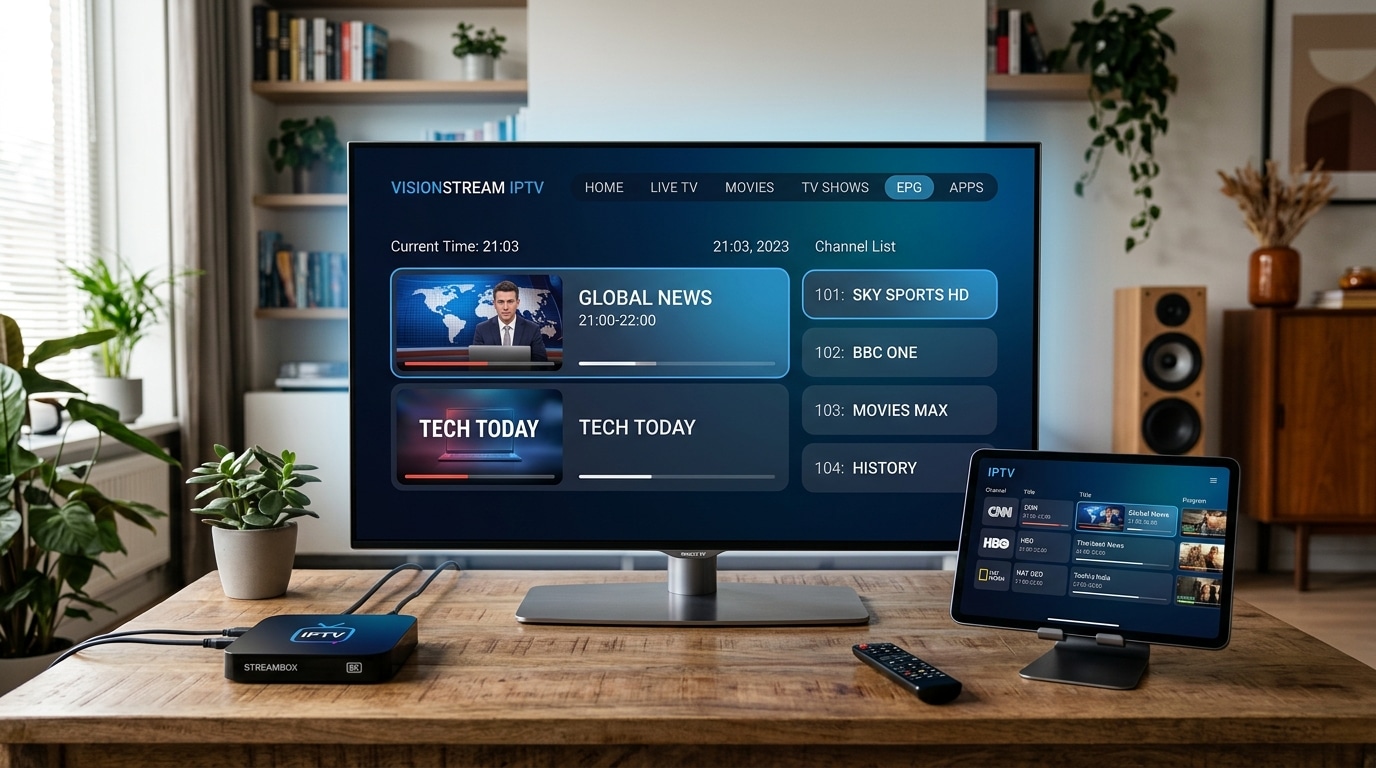
Live television is practically unusable without a dependable Electronic Program Guide (EPG). The EPG is the digital schedule that displays what is currently playing, what programs are coming up, and detailed episode information across your channel grid.
Low-quality providers often treat EPG data as an afterthought. Their guides frequently suffer from:
- Blank or "No Information" gaps across key sports and entertainment channels.
- Severe time zone discrepancies where UK channels display schedules offset by 2 to 5 hours.
- Broken channel logos and missing program metadata.
A high-grade provider delivers an accurate, auto-updating XMLTV EPG URL synchronized to GMT/BST. Additionally, top-tier services provide Catch-Up TV functionality across primary channels, allowing you to rewind and watch live broadcasts from the past 48 hours to 7 days if you missed a live match or prime-time drama.
Pillar 5: Broad Device Compatibility and Modern App Support
Your IPTV service should adapt to your household hardware, not force you to purchase expensive proprietary equipment.
Before purchasing, verify that the provider supports your preferred devices:
- Amazon Fire TV: Firestick Lite, Fire TV Stick 4K, 4K Max, and Fire TV Cube. (Read our dedicated Firestick setup guide for detailed instructions).
- Smart TVs: Samsung (Tizen OS), LG (webOS), Sony, TCL, and Philips running Android TV or Google TV.
- Apple Ecosystem: Apple TV 4K, Apple TV HD, iPad, and iPhone. (Explore our Apple TV setup tutorial).
- Dedicated Android TV Boxes: NVIDIA Shield TV, Xiaomi Mi Box, Mecool, and Formuler.
- Classic Set-Top Hardware: MAG boxes (MAG 322, 421, 524) utilizing Stalker portal MAC address registration.
- Computers & Mobile Devices: Windows PCs, macOS, Android smartphones, and web browsers.
A reputable service maintains detailed, beginner-friendly installation guides for each platform.
Pillar 6: Universal Connection Protocols (M3U & Xtream Codes API)
How you connect your subscription to your device plays a major role in user experience. In the IPTV ecosystem, there are two universal connection standards:
- M3U Playlist URLs: A web link containing plain text instructions that direct your media player to the provider's channel stream addresses and logos. While universally supported, long M3U URLs can be cumbersome to type using a television remote control.
- Xtream Codes API: The modern industry standard. Instead of typing an enormous 100-character URL, you simply enter three simple parameters into your player:
- Server URL (e.g.,
http://server.domain.com:8080) - Username
- Password
- Server URL (e.g.,
Xtream Codes API automatically categorizes live channels, movie libraries, series boxsets, and the EPG into cleanly separated sections. It also allows your player to authenticate faster and sync schedule data seamlessly. Avoid providers that lock you into clunky proprietary apps and refuse to provide your standard M3U or Xtream Codes credentials.
Pillar 7: Multi-Screen & Simultaneous Connection Options
In a modern household, television viewing is rarely confined to a single screen. While one family member watches live football in the living room, another may want to watch a drama series in the bedroom, while a teenager streams on a tablet.
Many budget providers restrict subscriptions to exactly one active connection. If a second device in your house attempts to connect simultaneously, the provider's server will immediately terminate the stream or blacklist your IP address.
Always evaluate:
- Single vs. Multi-Device Plans: Does the provider offer flexible 2-screen or 3-screen packages?
- IP Restrictions: Can secondary connections be used when travelling on 4G/5G mobile data, or must all devices share the exact same home Wi-Fi network?
Review the provider's transparent subscription options to select a tier tailored to your family's specific viewing habits.
Pillar 8: Responsive, Human Customer Support via Direct Channels
Because streaming technology involves external servers, domestic broadband networks, third-party software applications, and hardware decoders, occasional questions or glitches are inevitable.
When an issue arises—such as a playlist failing to synchronize before kick-off—you need immediate assistance. A major warning sign of an unprofessional provider is a support system limited to a slow email ticketing form that takes 48 hours to reply with generic automated responses.
Look for providers that offer direct, live communication channels, such as dedicated WhatsApp support. Direct messaging allows you to receive instant troubleshooting advice, configuration verification, and payment assistance in real time.
Pillar 9: Transparent UK Pricing in British Pounds (£) Without Hidden Fees
A legitimate streaming service provides clear, upfront pricing in your local currency (£ GBP) without hidden activation charges, foreign transaction bank fees, or automatic renewal traps.
Beware of these common pricing red flags:
- The "Lifetime Subscription" Scam: Providers offering "Lifetime access for £50" are almost invariably fraudulent. Operating high-bandwidth streaming servers incurs massive, ongoing monthly datacentre and bandwidth expenses. Any company claiming to support you forever for a small one-time fee will inevitably shut down their servers within 3 to 6 months once new customer sign-ups plateau, leaving you with zero recourse.
- Excessive Multi-Year Discounts: Avoid committing to 2-year or 3-year contracts with unproven services. High-grade services thrive on customer retention by offering affordable 3-month, 6-month, and 12-month packages. When a service knows its quality is exceptional, it does not need to trap users into multi-year commitments.
Pillar 10: Money-Back Guarantees and Risk-Free Testing Periods
Confidence in infrastructure is demonstrated through testing options. A dependable provider should offer:
- Free or Low-Cost 24-Hour Trials: The ability to test stream stability, channel switching speed, and picture quality during peak evening hours before spending money.
- Transparent Refund Terms: A clear refund policy (such as a 7-day money-back guarantee) in the event of persistent technical faults that cannot be resolved by the support team.
If a provider flatly refuses to provide a trial or testing window, take your business elsewhere.
Pillar 11: Anti-ISP Throttling Technology & VPN Compatibility
In the United Kingdom, major residential Internet Service Providers—including BT Broadband, Virgin Media, Sky Broadband, TalkTalk, and EE—frequently implement dynamic traffic shaping and automated network filters during peak hours. During live Premier League matches, ISPs may inspect streaming traffic and throttle unencrypted streaming packets, causing sudden buffering on your screen despite a high-speed fiber connection.
High-end IPTV services mitigate this through two distinct mechanisms:
- Server-Side Traffic Obfuscation: The provider's stream data packets are encrypted and obfuscated to appear as standard HTTPS web traffic, preventing automated ISP throttling filters from recognizing and slowing the broadcast.
- Universal VPN Compatibility: If your local broadband router enforces strict parental or piracy filters, your IPTV service must function flawlessly alongside top Virtual Private Networks (VPNs) such as NordVPN, ExpressVPN, or Surfshark without flagging your account for suspicious activity.
Pillar 12: Instant Provisioning and Automated WhatsApp Delivery
In 2026, nobody wants to wait 24 hours for an administrator to manually generate and email login credentials. High-grade providers operate automated provisioning systems. Within five minutes of completing your order, your personalized M3U playlist URL, EPG address, Xtream Codes credentials, and setup instructions should arrive directly in your WhatsApp inbox or email.
Technical Comparison Matrix: Budget vs. Premium UK IPTV Providers
To visualize the real-world operational differences between cut-rate resellers and enterprise-grade providers, review the comparison table below:
| Feature / Metric | Budget / Free Reseller | Premium Service (IPTV FIESTA) | Why It Matters |
|---|---|---|---|
| Server Infrastructure | Overloaded Virtual Servers (VPS) | Dedicated 10 Gbps Tier-1 Clusters | Prevents freezing during peak evening sports |
| Sports Frame Rate | 25 – 30 FPS (Choppy) | 50 – 60 FPS (Native Fluid) | Critical for smooth ball tracking and high-speed action |
| Video Resolution | Upscaled 720p labeled "4K" | Native 1080p FHD & Genuine 4K UHD | Delivers crisp, razor-sharp detail on modern OLEDs |
| Electronic Program Guide | Often missing, incorrect time zones | Comprehensive XMLTV GMT/BST Guide | Lets you see schedules and navigate effortlessly |
| Peak-Time Stability | Frequent freezing at 8:00 PM | 99.99% Monitored Uptime | Ensures uninterrupted viewing during weekend matches |
| Customer Support | Slow email tickets (24-48h delay) | Dedicated 24/7 WhatsApp Assistance | Immediate live help when you need configuration advice |
| Currency & Billing | Often USD / EUR with foreign fees | Transparent British Pounds (£ GBP) | No unexpected currency conversion charges |
| Multi-Room Options | Strictly 1 device; IP bans | 1, 2, or 3 Simultaneous Connections | Allows the whole family to stream in different rooms |
| Supported Protocols | Clunky proprietary app only | Standard M3U & Xtream Codes API | Complete freedom to use TiviMate, Smarters, etc. |
Step-by-Step Practical Protocol: How to Test an IPTV Service During a Trial
Securing a test trial is only useful if you know how to evaluate the service thoroughly. Follow this diagnostic checklist during your testing window:
Step 1: Schedule Your Test During Peak Traffic Hours
Do not test the service on a Tuesday morning at 10:00 AM when internet datacentres and residential broadband lines are empty. Test the streams between 7:30 PM and 10:00 PM on a Friday, Saturday, or Sunday evening, particularly when high-profile football or rugby matches are being broadcast. This is when server capacity is pushed to its limits.
Step 2: Test Channel Switching Latency (Zapping Speed)
Flip between 10 to 15 different channels in rapid succession. On a well-engineered provider paired with a responsive player like TiviMate, channels should initialize and begin smooth playback within 1 to 2 seconds. If channels take 5 to 10 seconds of spinning wheels before loading, the provider's stream handshake servers are overloaded. (Learn more in our guide on fixing slow IPTV channel switching).
Step 3: Inspect Video Smoothness on Sports Broadcasts
Navigate to a live sports channel (such as Sky Sports Premier League or TNT Sports 1). Look closely at fast camera pans across the pitch. Does the grass blur into green digital artifacts? Does the ball stutter across the screen? If the picture appears choppy, the stream is broadcasting at 25 FPS rather than 50/60 FPS.
Step 4: Verify EPG Synchronization
Open your television guide. Confirm that program titles, episode descriptions, and start times match current UK broadcast schedules exactly. Check whether the guide populates across all channel groups or displays blank rows.
Step 5: Test Multiple Device Types
If you plan to watch on both an Amazon Firestick in the living room and an iPad in the kitchen, install your player app on both and verify that your credentials authenticate quickly on each operating system.
Hardware Breakdown: Which Device Delivers the Best IPTV Experience?
Even the fastest IPTV server in the world will perform poorly if paired with weak, obsolete streaming hardware. Here is how popular streaming devices rank for IPTV performance in 2026:
1. Amazon Fire TV Stick 4K Max & Fire TV Cube (Best Overall Value)
The Amazon Fire TV Stick 4K Max (2nd Gen) and Fire TV Cube represent the benchmark for price-to-performance in the UK. Powered by fast quad-core processors, Wi-Fi 6/6E support, and hardware decoding for AV1, HEVC, and H.264, these devices run advanced IPTV players like TiviMate effortlessly. Channel switching is virtually instantaneous, and 4K 60FPS playback is silky smooth.
2. Apple TV 4K (Best Premium Experience)
For users embedded in the Apple ecosystem, the Apple TV 4K powered by the A15 Bionic chip provides unrivaled processing power. The tvOS interface is fluid, devoid of intrusive home-screen advertisements, and supports top-tier applications like iPlayTV and IPTVX. When paired with its gigabit Ethernet port and "Match Content Frame Rate" feature, Apple TV 4K delivers reference-grade picture fidelity.
3. Dedicated Android TV / Google TV Boxes (NVIDIA Shield TV Pro)
The NVIDIA Shield TV Pro remains a powerhouse for home theater enthusiasts. With native gigabit Ethernet, advanced AI upscaling, and complete freedom to install custom APKs from the Google Play Store, it easily handles high-bitrate live streams and complex multi-screen video walls.
4. Smart TV Native Apps (Samsung Tizen & LG webOS)
While convenient because they eliminate external remotes, built-in Smart TV operating systems possess limited processing RAM and slower system-on-chips compared to dedicated streaming sticks. Apps like IBO Player or Nanomid work well for basic viewing, but heavy users will enjoy significantly faster channel zapping and more advanced features by adding a Fire TV Stick 4K Max.
Home Broadband & Network Optimization Checklist for IPTV
To ensure your home network never becomes a streaming bottleneck, verify your network settings against this practical checklist:
- Verify Real Download Speeds: Run a speed test on your streaming device. As detailed in our IPTV internet speed guide, you need at least 15 Mbps for reliable 1080p HD and 30 Mbps per concurrent 4K stream.
- Switch from 2.4 GHz to 5 GHz Wi-Fi: The 2.4 GHz Wi-Fi band is prone to severe interference from neighbouring routers, microwaves, and Bluetooth devices. Connecting your streaming device to the 5 GHz Wi-Fi band immediately slashes latency and eliminates packet loss.
- Use Ethernet Whenever Feasible: A physical Cat6 Ethernet cable completely bypasses wireless signal degradation, wall attenuation, and local radio interference.
- Configure Custom DNS Servers: Default ISP DNS servers (from Virgin Media or BT) can occasionally delay stream address resolution. Switching your router or device DNS to Cloudflare (
1.1.1.1) or Google (8.8.8.8) dramatically speeds up stream initialization.
Frequently Asked Questions
Final Recommendation: Making the Confident Choice in 2026
Choosing an IPTV service does not have to be a gamble. By bypassing inflated channel claims and focusing rigorously on server infrastructure, 50/60 FPS sports broadcasting, EPG accuracy, Xtream Codes compatibility, and responsive human customer support, you can secure an enterprise-grade viewing experience that saves you hundreds of pounds each year.
If you are ready to experience premium internet television built specifically for British viewers:
- Review our transparent, contract-free UK subscription plans.
- Browse our expansive 4K live sports and entertainment channels list.
- Follow our quick 5-minute installation tutorials for your device.
- Or reach out directly to our 24/7 customer support team on WhatsApp to request a free trial and start streaming today!